See TattooQueue in Action
A complete walkthrough of every feature. Understand exactly what you're getting before you sign up.
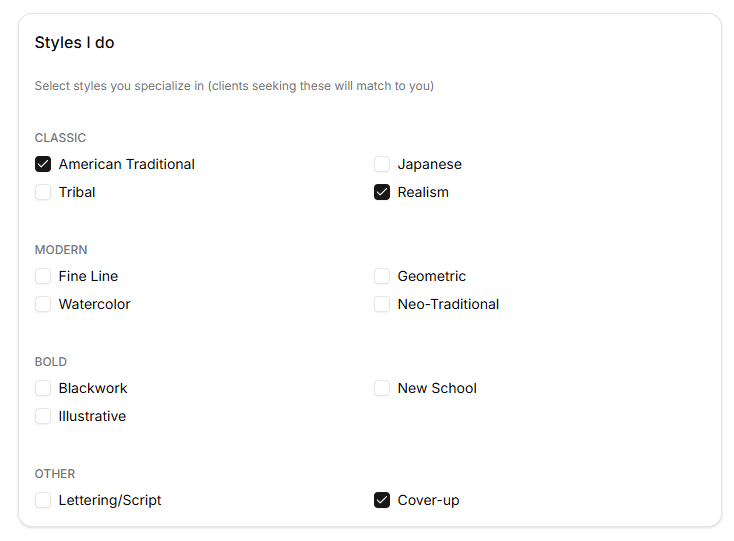
Smart Style-Matching
The Right Artist for Every Client
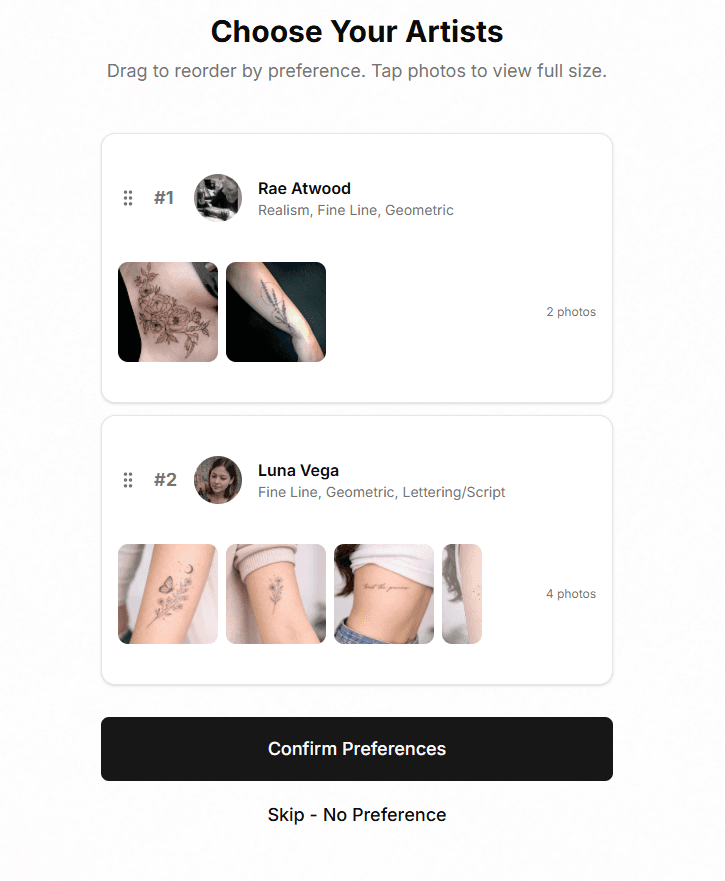
When a walk-in picks their style (Traditional, Fine Line, Blackwork, etc.), TattooQueue automatically shows only artists who specialize in that style. No more guessing who should take the client.
- Artists define their style specialties, color preferences, and won't-do placements
- Clients select their desired style, color, and body placement during check-in
- System filters and ranks artists by match quality
- Clients can drag-reorder their preferred artist list
This is our key differentiator. No other system auto-matches walk-ins to artists by style.
Live Walk-In Queue
From Check-In to Claim in Seconds
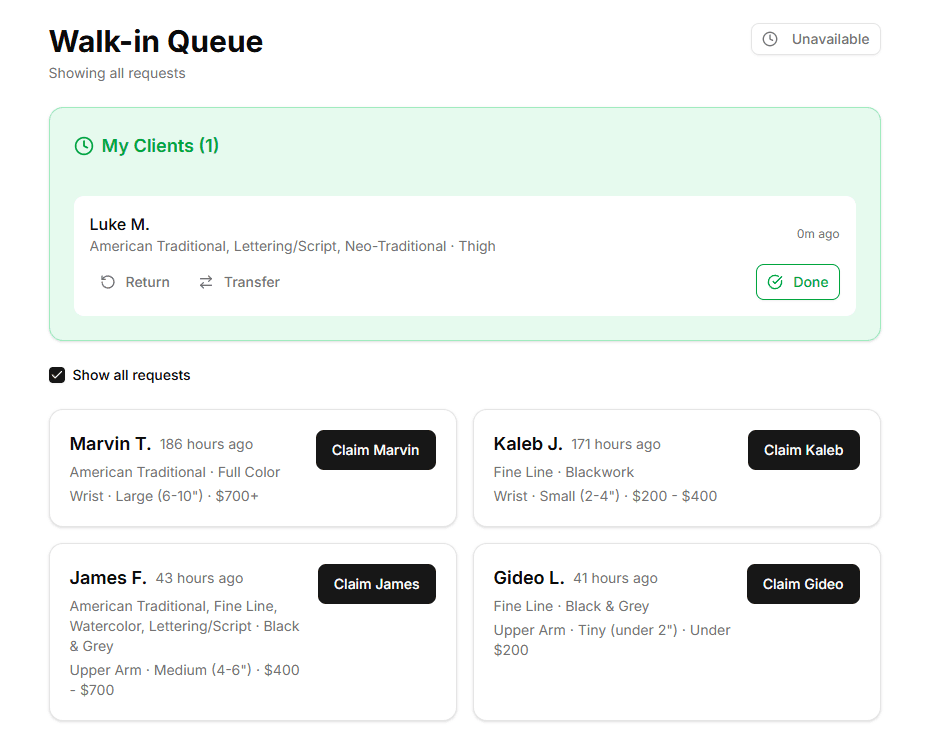
Clients check in via your studio's kiosk URL or QR code. A quick 30-second quiz captures their preferences. Artists see the queue in real-time and claim clients with one tap.
- Clients pick style, color preference, placement, size, and budget
- Optional digital waiver with medical questions and e-signature
- Artists filter queue by style match or view all requests
- Race-condition-safe claiming prevents double-claims
- Set timing: 'Now', '15 min', '30 min', '1 hour', '2 hours', '3 hours', or 'Book for later'
Replaces the clipboard, the shouting, and the 'who wants this one?' chaos.
Lobby Kiosk Display
Real-Time 'Now Serving' Screen
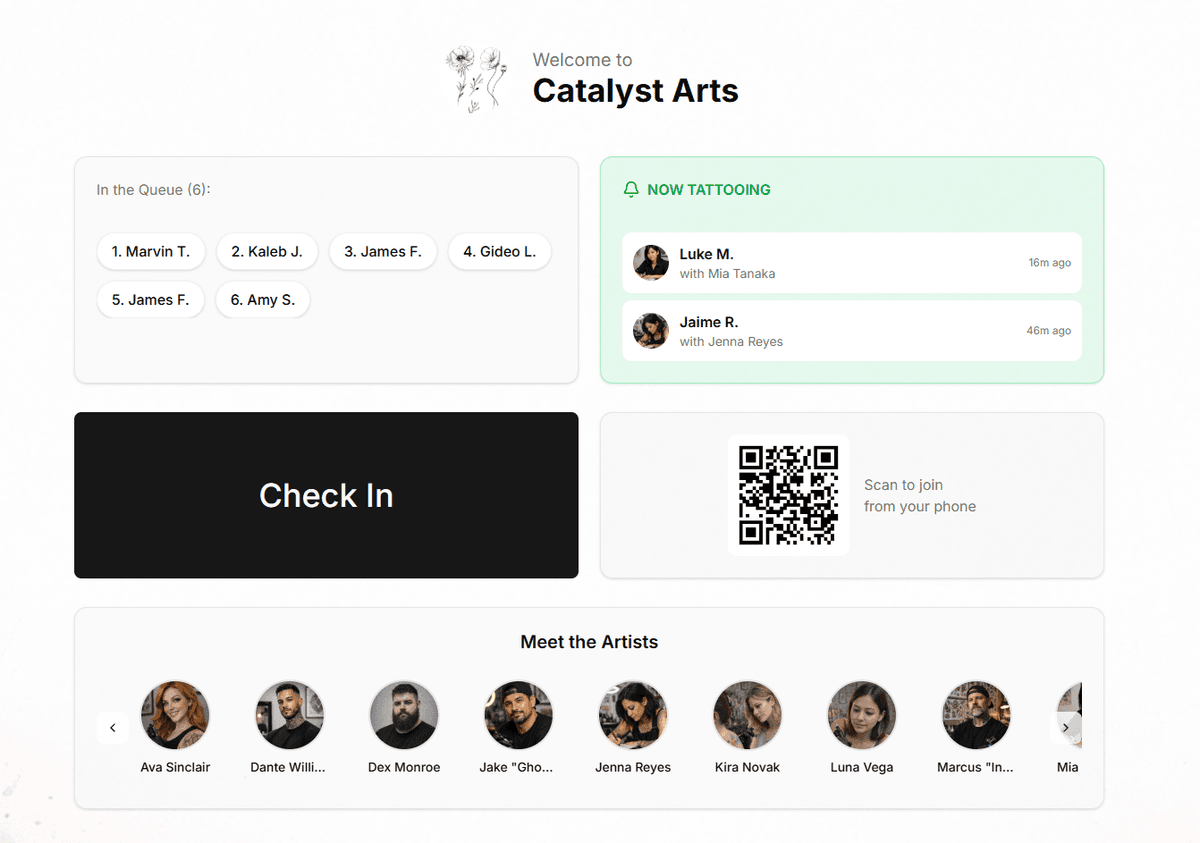
Put a tablet or TV in your lobby. Clients see who's waiting, who's being tattooed, and your artist lineup. Updates in real-time with confetti celebrations when someone gets called.
- Shows 'In Queue' (waiting) and 'Now Tattooing' (claimed) lists
- Artist carousel with photos, styles, and portfolio images
- QR code for phone check-in without touching the kiosk
- Custom branding: your logo, background image, colors
Clients know exactly where they stand. No more 'how much longer?' questions.
SMS Notifications
Text Clients When It's Their Turn
When an artist claims a walk-in, the client gets a text instantly: 'You're up! Head to Station 3 with Jake.' No shouting across the shop, no missed turns.
- Clients opt-in during check-in
- Message includes artist name, station, and timing
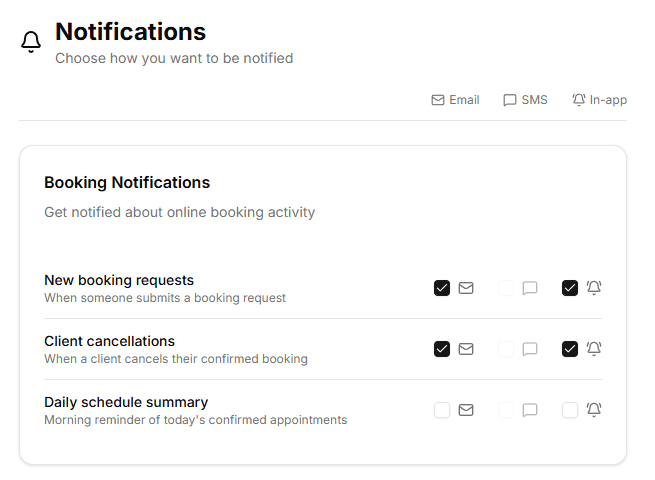
- Artists also get SMS alerts for booking requests
- Daily schedule summaries for artists
Optional add-on at $0.02/text. Enable in studio settings — no Twilio account needed.
Online Booking
Each Artist Gets Their Own Booking Page
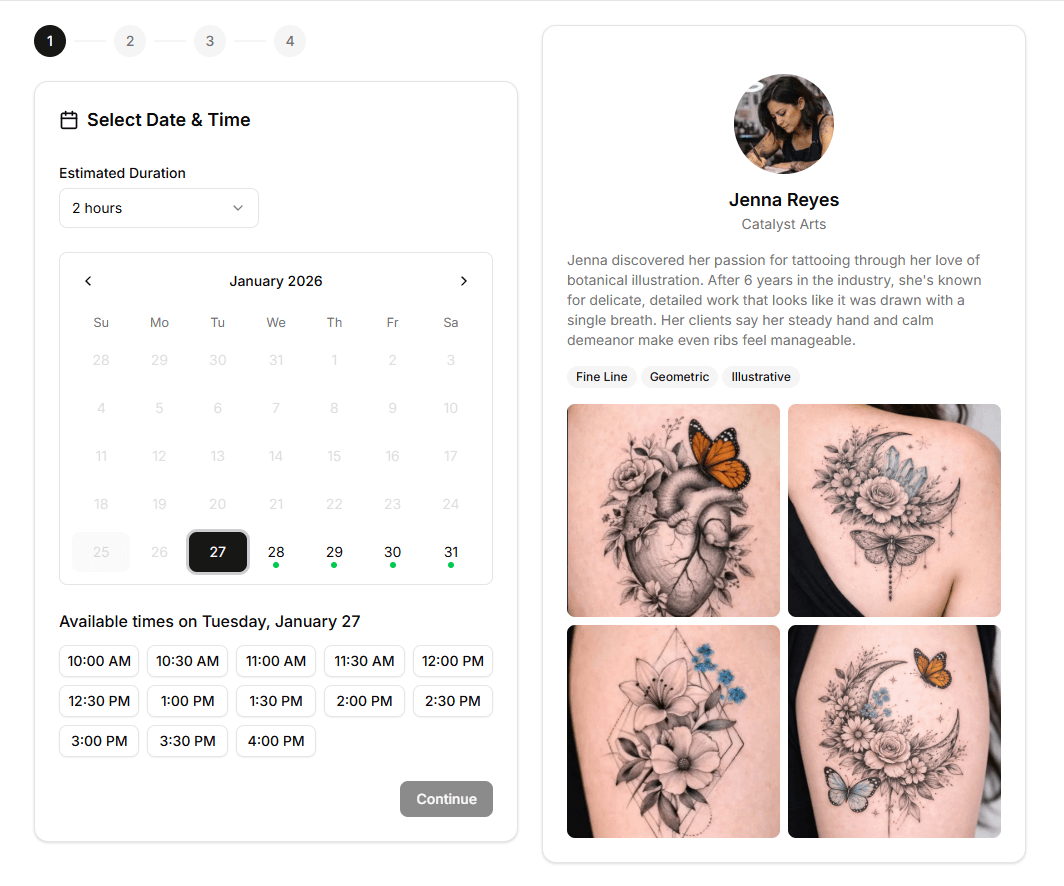
Beyond walk-ins, artists can accept online booking requests. Clients browse availability, describe their tattoo, upload reference images, and submit a request.
- Artists set weekly recurring availability + one-time blocks
- Minimum notice, max advance booking, and buffer time settings
- Deposit collection via Stripe
- Booking request workflow: pending → confirmed → completed
- Client status page to track their request
Handles both spontaneous walk-ins and planned appointments in one system.
Deposit Collection
Get Paid Before the Appointment
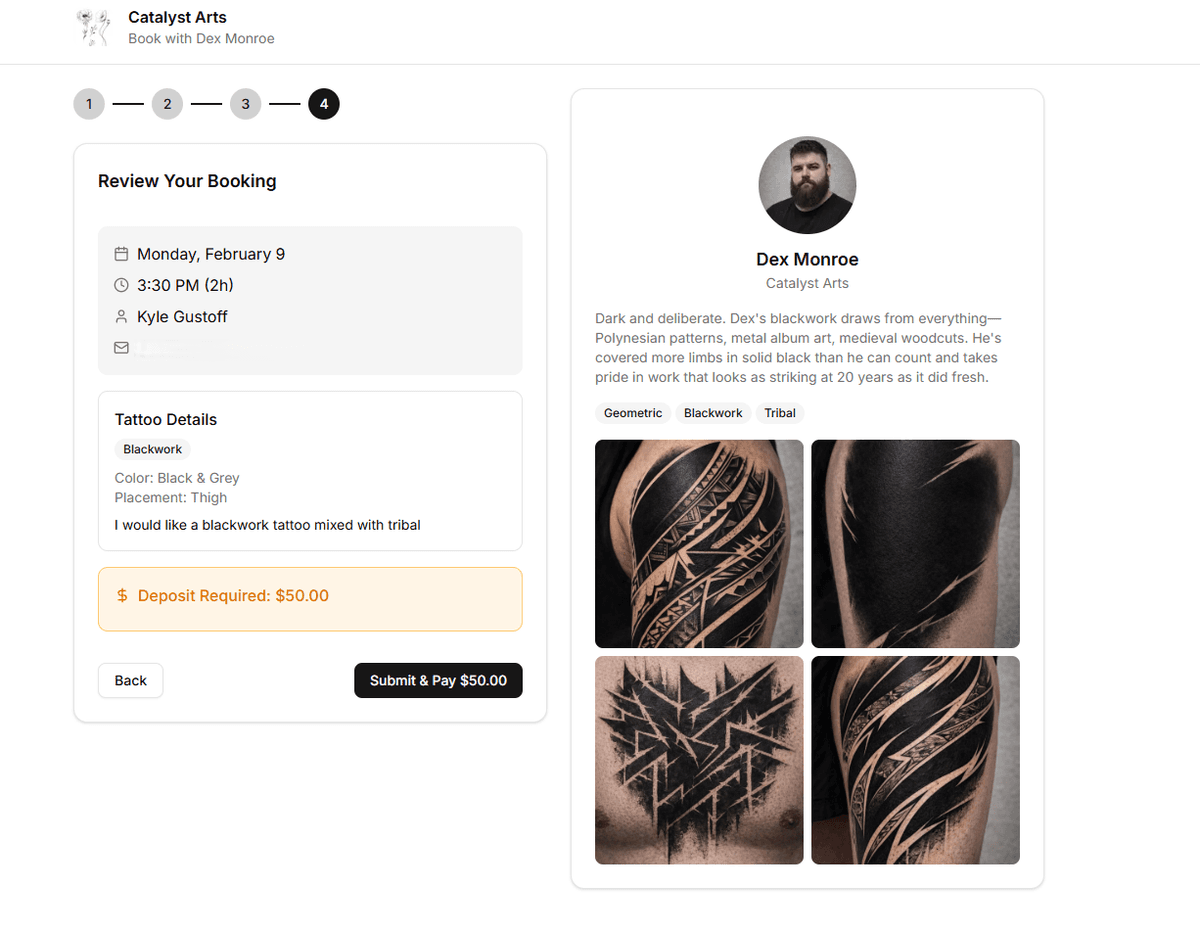
Require deposits when clients book online. Artists set their own deposit amount, and clients pay securely via Stripe Checkout. Deposits are tracked per booking and deducted from the final payment.
- Artists set minimum, maximum, and default deposit amounts
- Force-deposit mode requires payment before booking is confirmed
- Secure Stripe Checkout with automatic receipt emails
- Deposit status tracking on every booking request
Reduce no-shows and secure revenue before the client walks in.
Merchandise Store
Sell Aftercare, Apparel & More
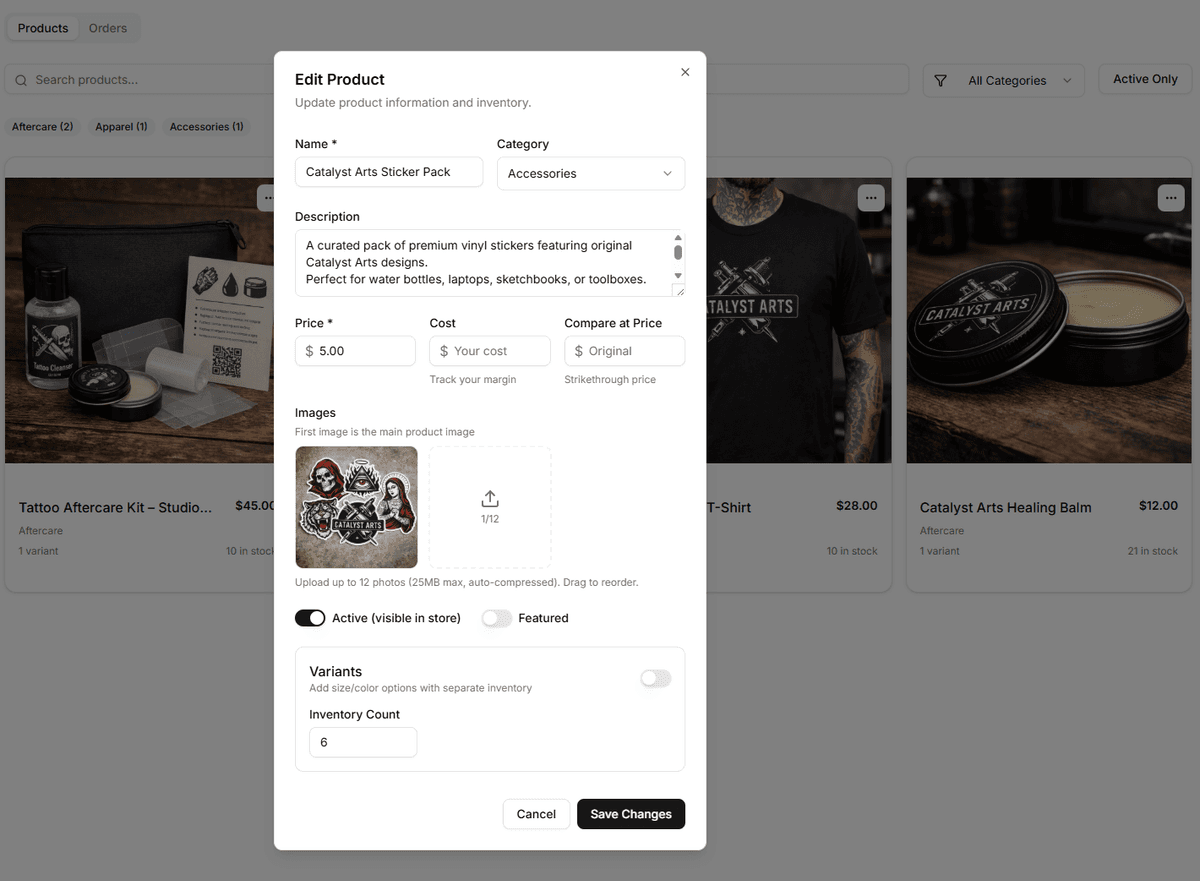
A full product catalog built into your studio dashboard. Create products with images, variants, and inventory tracking. Ring up items during appointments or let clients browse your store page.
- Product images, descriptions, and size/color variants
- Inventory tracking with low-stock warnings
- Ring up items at checkout during appointments
- Cost-per-item tracking for margin visibility
Turn every appointment into a retail opportunity. Track margins with cost-per-item.
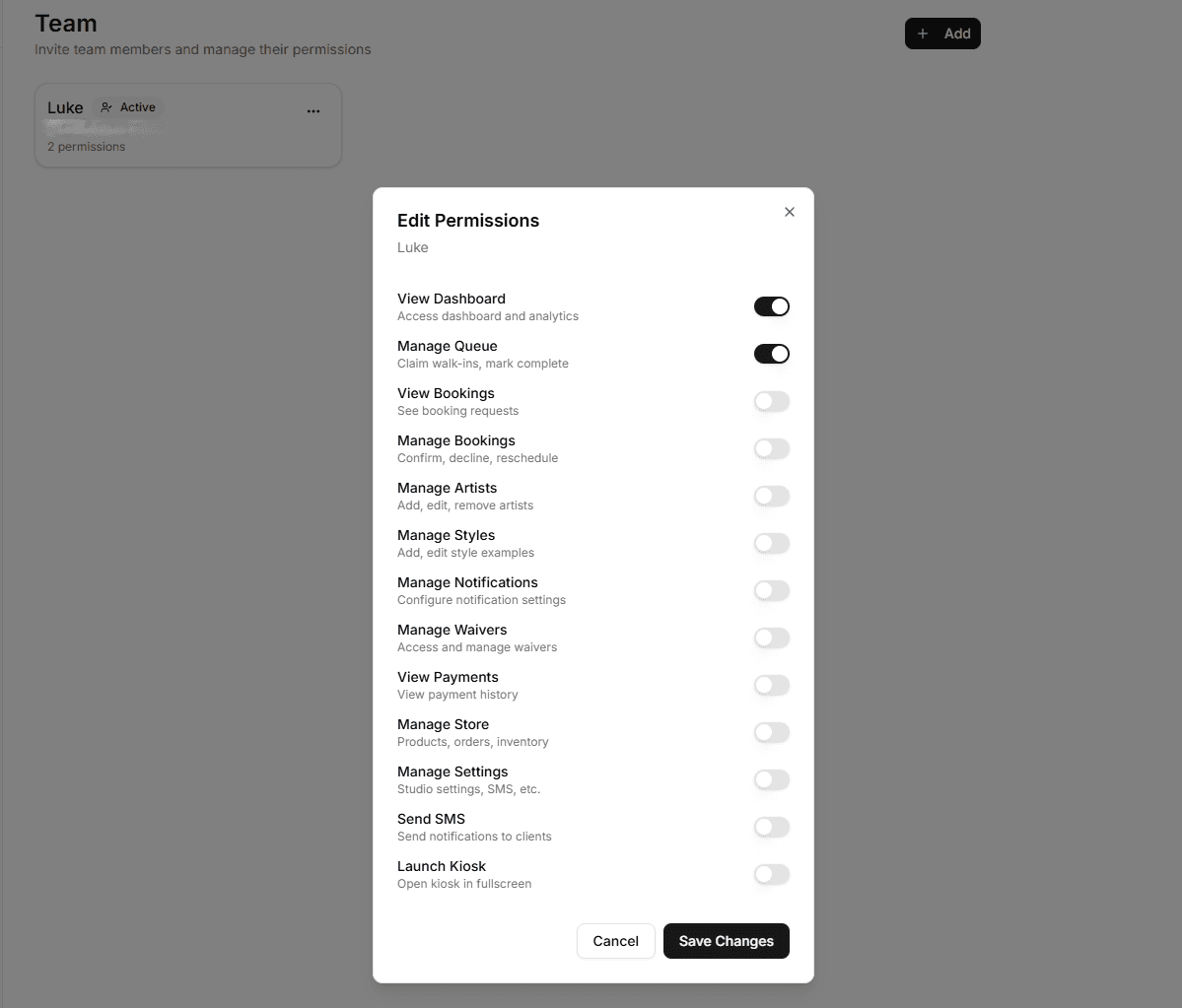
Team Permissions
Control Who Can Do What
Invite front desk staff, managers, or assistants with granular permissions. 13 permission types let you give each role exactly the access they need — nothing more.
- Invite team members by email or shareable link
- View-only analytics access for owners on the go
- Queue-only access for front desk staff
- Full admin permissions for studio managers
Not everyone needs the keys to everything. Give each role exactly the access they need.
Digital Waivers
Health Screening Before the Needle
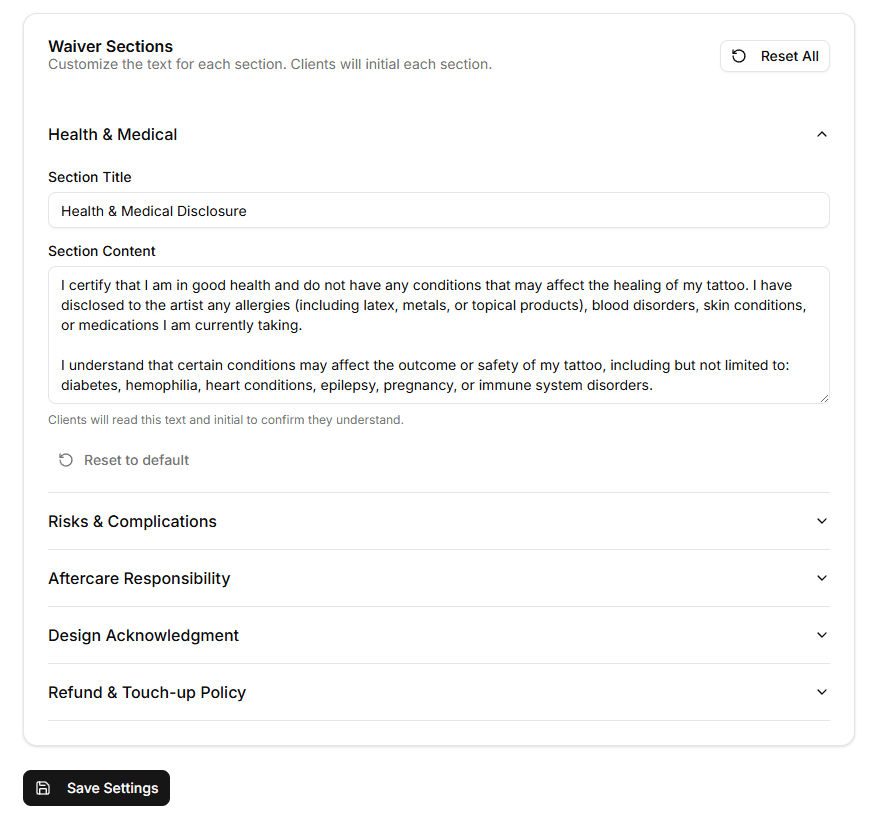
Customizable waivers collect medical info, age verification, and e-signatures. Artists see a 'Medical Alert' badge if the client flagged any health concerns.
- Questions: allergies, medications, skin conditions, pregnancy
- Age/sobriety confirmation, photo release, refund policy
- Signature capture on tablet or phone
- Stored securely with version tracking
- Fully customizable sections per studio
- Medical alerts (allergies, medications, pregnancy) shown to artist before claiming
Artists see medical concerns before the needle touches skin. Compliant digital waivers replace paper forms.
Analytics Dashboard
Know Your Numbers
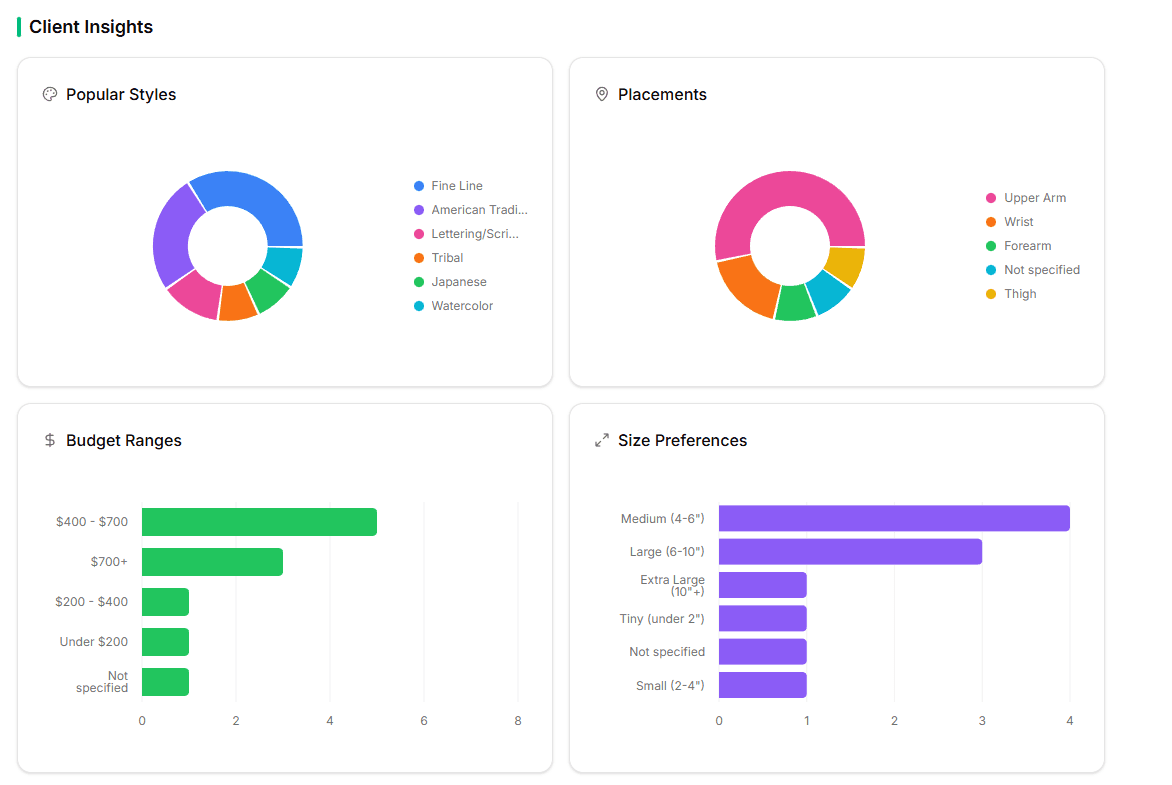
Track what's working. See completion rates, average wait times, peak hours, top styles requested, and per-artist performance metrics.
- Total entries, completion rate, average wait time
- Peak hours and busiest days
- Top styles and placements requested
- Per-artist: clients claimed, completion rate, service time
- Date range filtering (7 days, 30 days, custom)
- Revenue breakdown by service vs. retail
- Top-selling products and per-artist sales
- Export reports to CSV
Data-driven decisions for staffing, scheduling, pricing, and inventory.
Artist Profiles & Preferences
Artists Control Their Workflow
Each artist sets their specialties, colors, and won't-do placements. They control their availability toggle, booking settings, and notification preferences.
- Define styles they specialize in (Traditional, Realism, etc.)
- Color specialties: Color, Black & Grey, or both
- Won't-do list: placements they decline (Neck, Face, etc.)
- Availability toggle (auto-resets after 14 hours)
- Portfolio images displayed during client artist selection
Reduces mismatched clients and keeps artists doing what they love.