
SMS Consent & Opt-In Process
Last updated: February 2026
1. Overview
TattooQueue is a SaaS platform for tattoo studios. We send automated, one-way, transactional SMS notifications to end users on behalf of participating tattoo studios. Messages are transactional only — no marketing or promotional content is ever sent.
2. Message Types
- Queue status updates (e.g., "Your artist is ready for you now")
- Wait time estimates (e.g., "Your artist will be ready in about 30 minutes")
- Appointment confirmations
- Appointment reminders (24-hour and 2-hour)
- Booking status changes
Message frequency varies based on usage, typically 1–5 messages per visit or booking. Standard message and data rates may apply.
Interactive Opt-In Demo
Try it yourself: the demos below use the exact same consent checkbox and phone number field as our live forms. Check the box to see the phone number field appear.
Walk-In Queue Opt-In
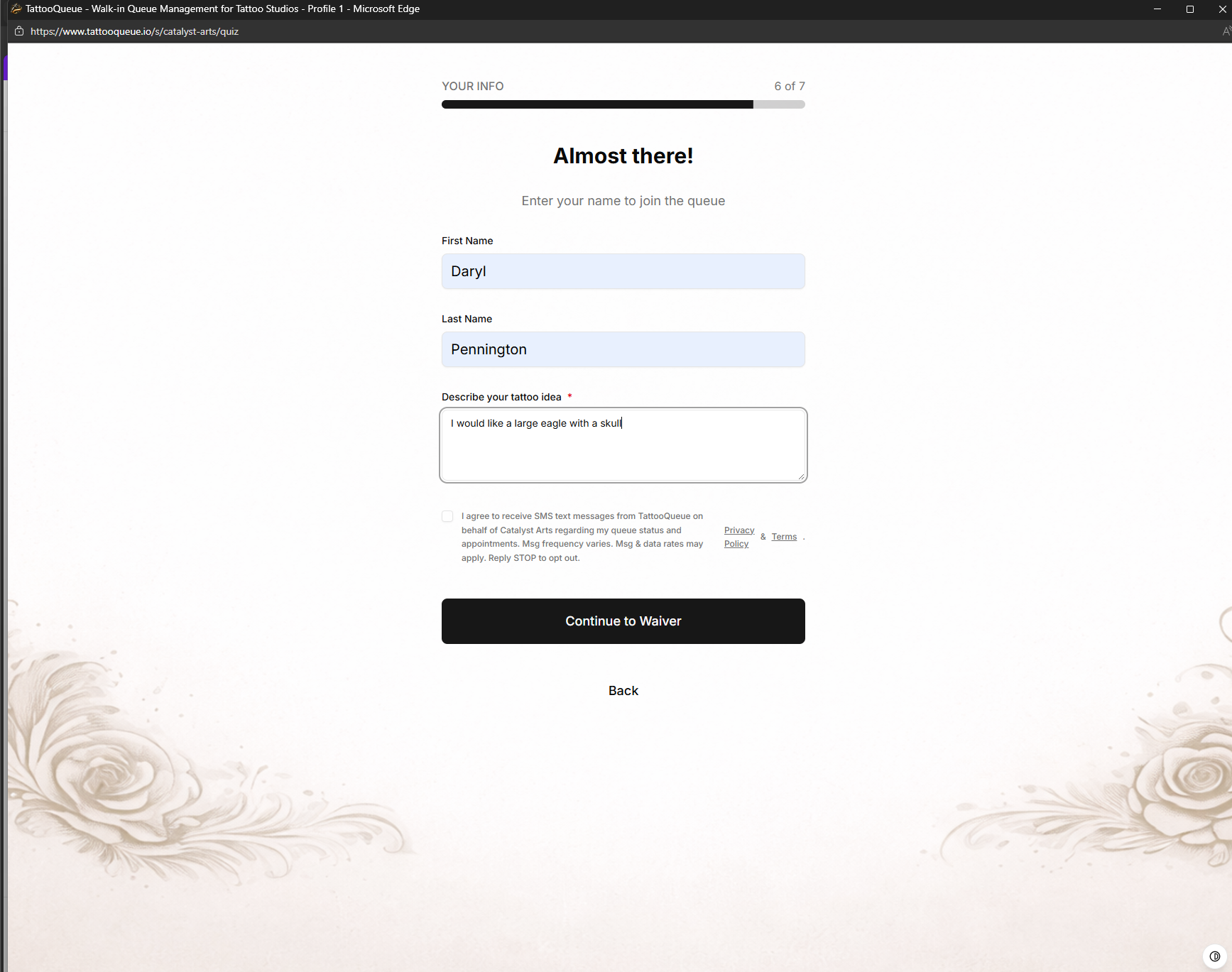
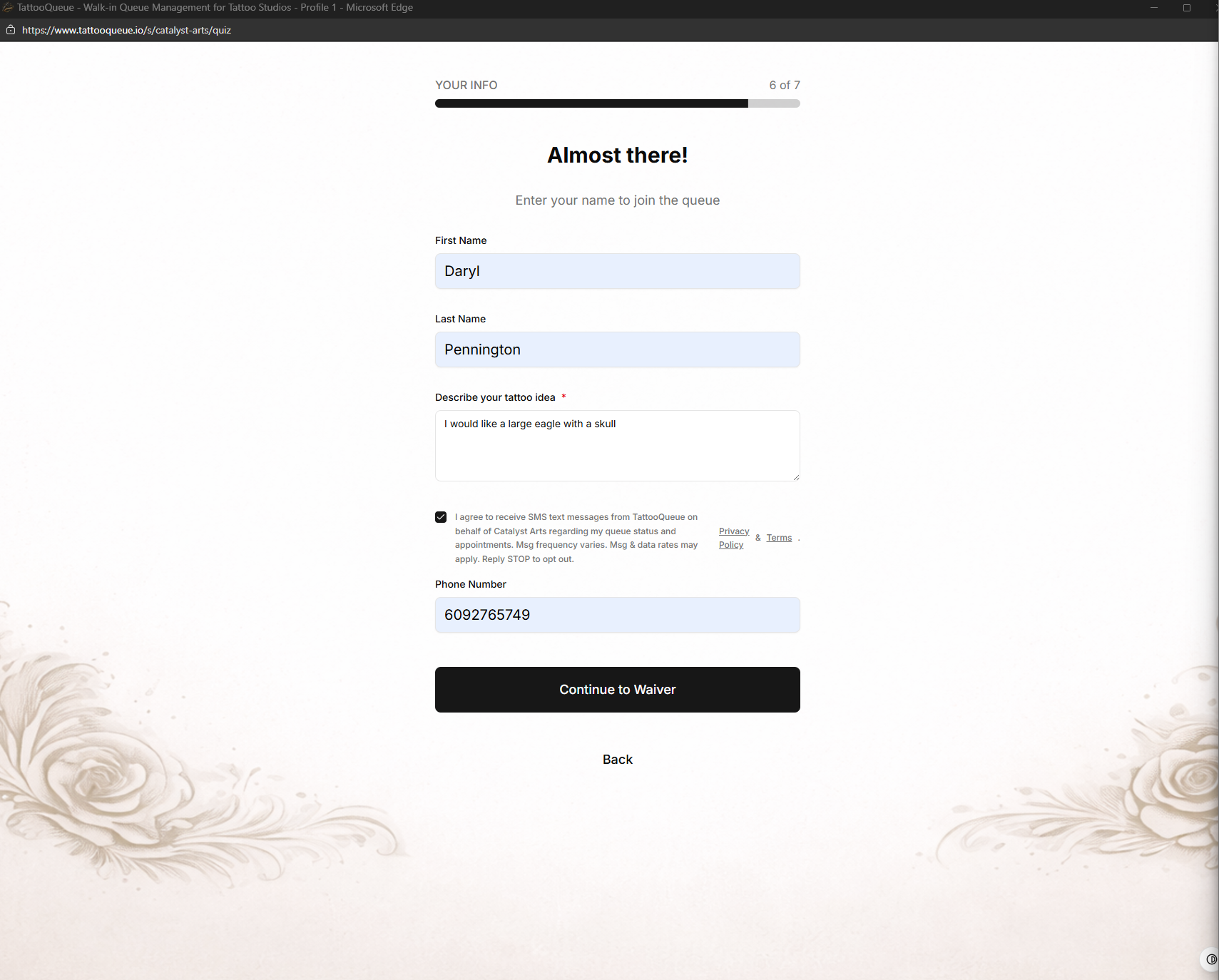
This is what a client sees on the final step of joining the walk-in queue, after entering their name and tattoo preferences.
Check the box above to see the phone number field appear.
Online Booking Opt-In
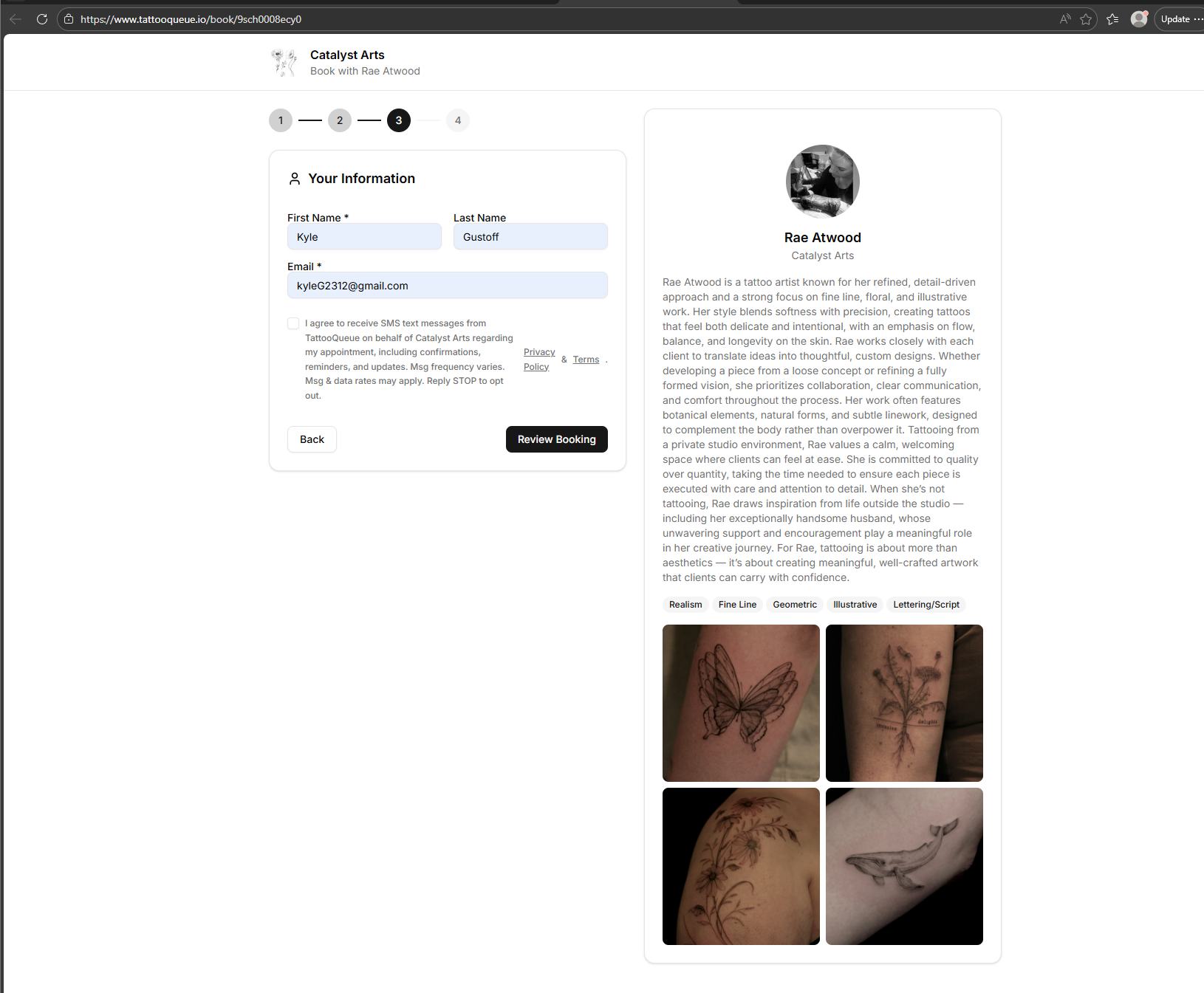
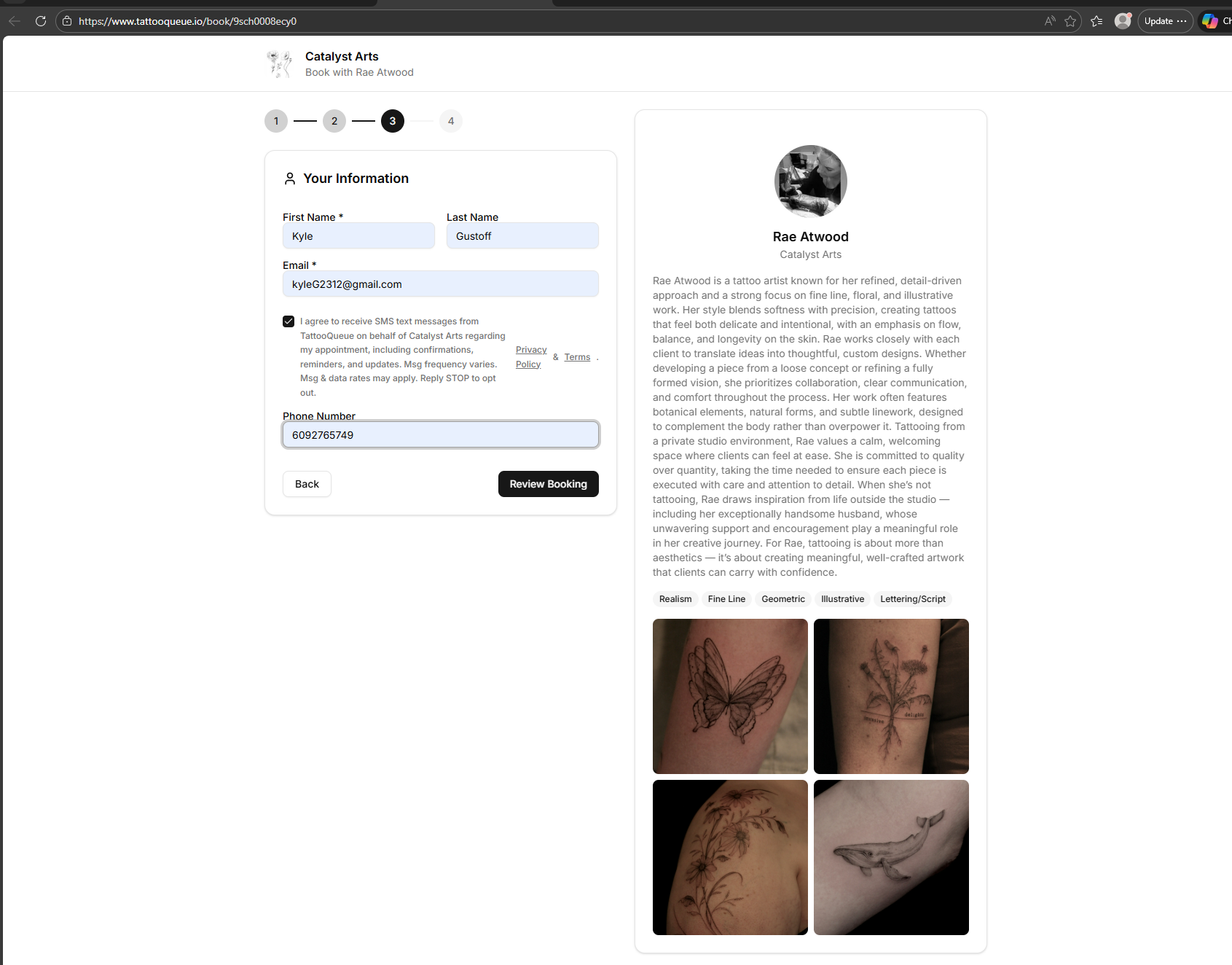
This is what a client sees on the contact details step of booking an appointment online with an artist.
Check the box above to see the phone number field appear.
3. Opt-In Method: Walk-In Queue Sign-Up
When a client visits a tattoo studio and joins the digital walk-in queue, they go through a multi-step sign-up form. On the final step, after entering their name and tattoo details, they are presented with an SMS consent checkbox. The checkbox is unchecked by default — the client must actively check it to opt in.
Before: Checkbox unchecked — no phone number field visible
After: Checkbox checked — phone number field appears
Step-by-step flow:
- Client visits the studio's queue page on a kiosk or their phone
- Client completes a style preference quiz (tattoo style, color, placement, size, budget)
- Client enters their first name, last name, and tattoo description
- An unchecked SMS consent checkbox is displayed with the disclosure text shown above
- Only after actively checking the checkbox does the phone number input field appear
- Client enters their phone number and submits the form
4. Opt-In Method: Online Booking Form
Clients can also book appointments through an artist's public booking link. On the contact information step, an unchecked SMS consent checkbox is displayed. Only after actively checking the checkbox does the phone number input field appear — the same pattern as the walk-in queue flow.
Before: Checkbox unchecked — no phone number field visible
After: Checkbox checked — phone number field appears
5. Opt-Out
Users may opt out at any time by replying STOP to any message. After opting out, no further SMS messages will be sent. Users may reply HELP for assistance.
6. Data Privacy
Your mobile phone number, SMS consent, and opt-in data will never be shared with or sold to third parties or affiliates for marketing or promotional purposes. Mobile information is used solely for the purpose of sending the transactional messages described above.
For full details, see our Privacy Policy and Terms of Service.
7. Sample Messages
TattooQueue: Hi Sarah! Luna at Iron Lotus Tattoo is ready for you now. Head to Station 3. Reply STOP to opt out.
TattooQueue: Hi Sarah! Your appointment with Luna at Iron Lotus Tattoo is confirmed for Feb 14 at 2:00 PM. Your check-in code: A7X3. See you soon!
TattooQueue: Reminder: Sarah, your appointment with Luna is tomorrow (Feb 14) at 2:00 PM. Check-in code: A7X3. Reply STOP to opt out.
TattooQueue: Sarah, your tattoo appointment with Luna is in 2 hours! Check-in code: A7X3. Reply STOP to opt out.
TattooQueue: Hi Sarah! Luna at Iron Lotus Tattoo will be ready for you in about 30 minutes. Please stay nearby! Reply STOP to opt out.